ARX Setup Center
In 15 Seconds!
From zero to a fully structured Discord server.
Deploy ready-to-use channels, roles, and permissions in seconds. Stop wasting hours on manual setup—build your community effortlessly.

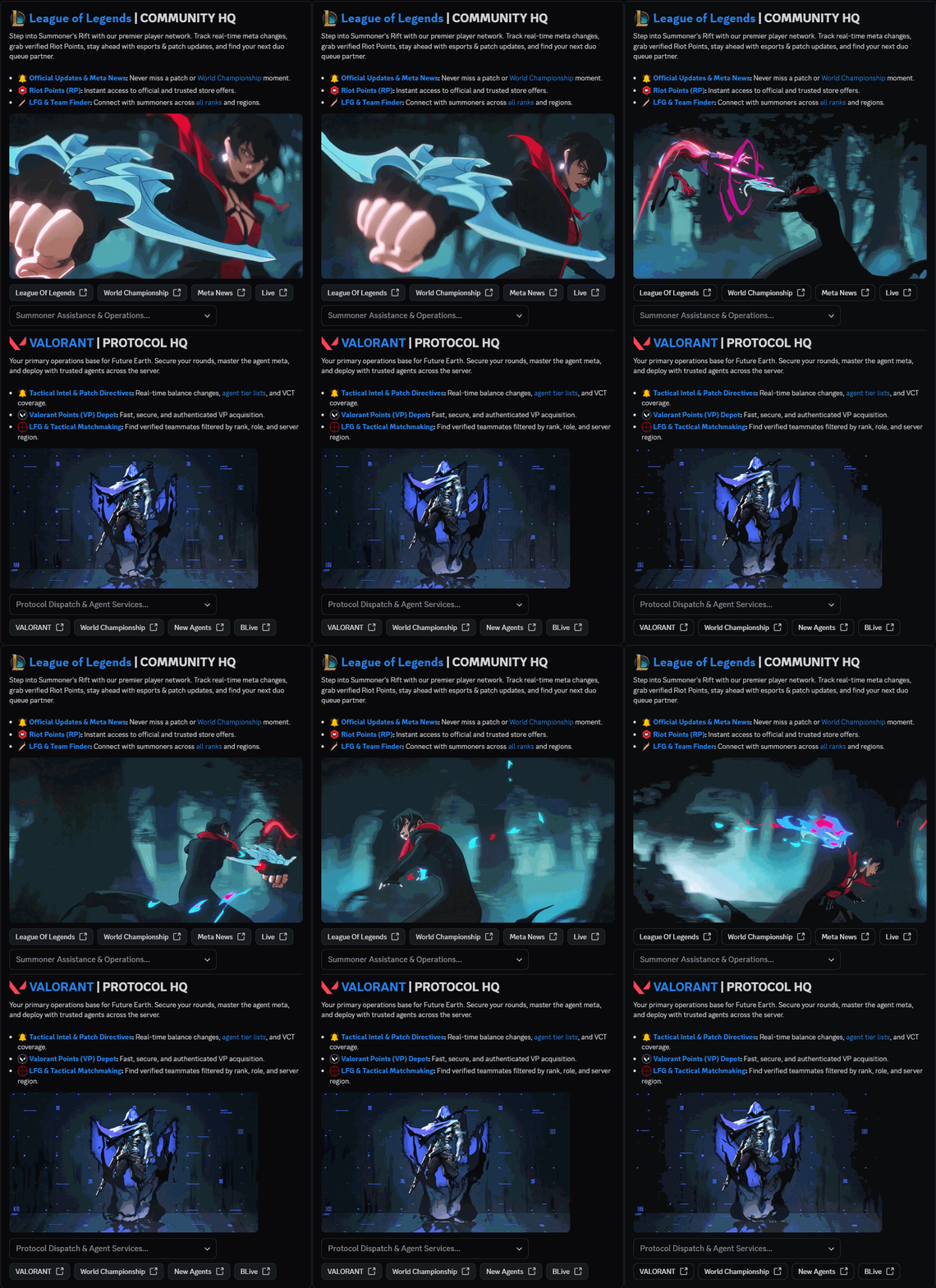
Red CarpetGive your Discord server a professional showcase.
Build a polished server experience with text, images, dividers, buttons, dropdown menus and sections. Designed for professional Discord communities.
- Text
- Images
- Dividers
- Buttons
- Dropdown menus
- Sections
See every change instantly with live preview. Add images and GIFs to make your layout stand out.

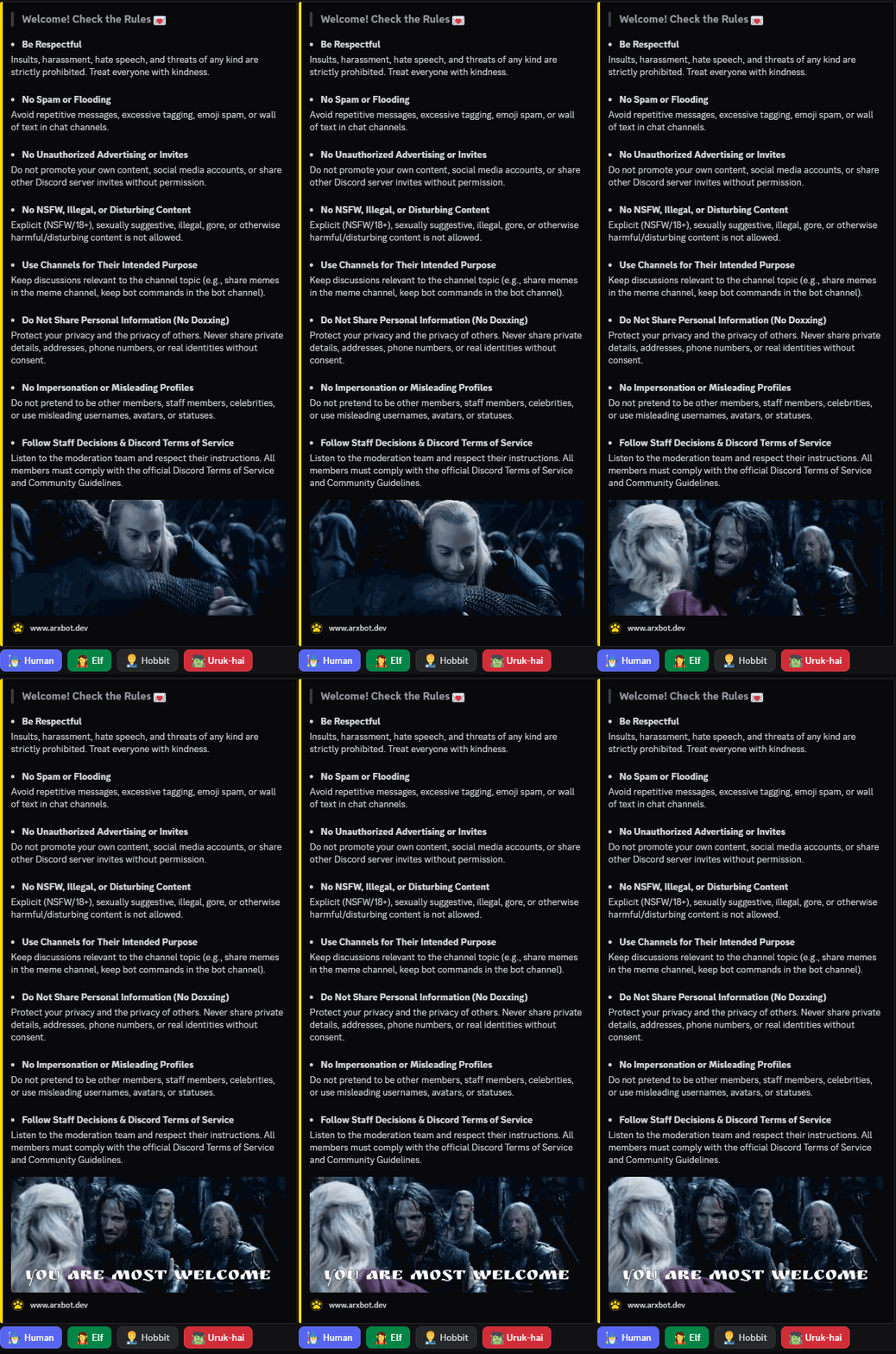
Roles & ButtonsLet members choose their roles with one click.
Match Discord roles with buttons using the names and emojis you choose. Create flexible role panels for interests, games and different community needs.
- Role selection
- Custom buttons
- Names & emojis
- Images & GIFs
- Embeds & links
- Flexible panels
Make your panels your own: add images and GIFs, build embed sections and include clickable links.

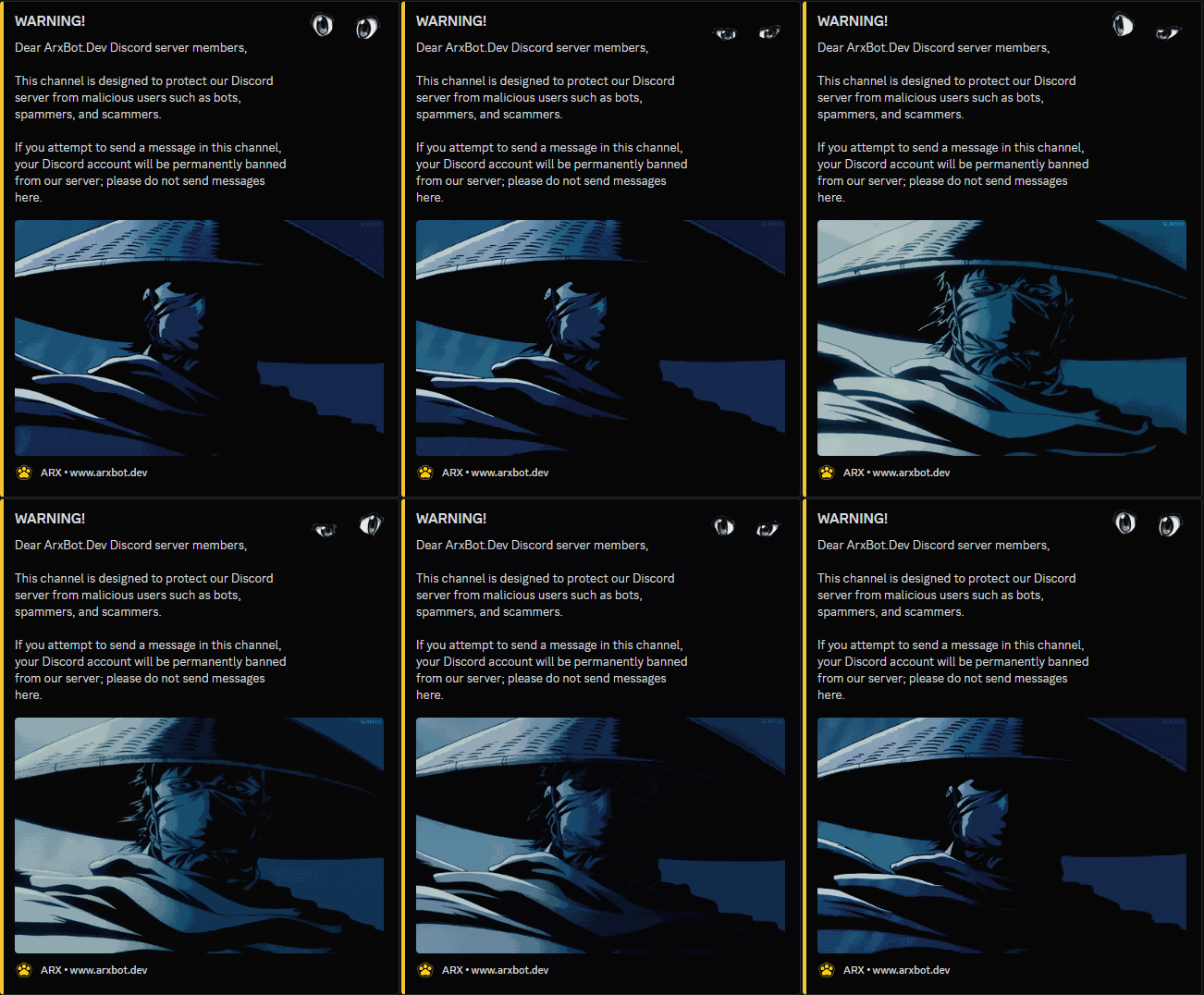

Spam Bot ProtectionStop harmful bots before they spread.
ARX detects harmful bot activity and malicious posts, warns the affected account before a ban, and explains how to recover a compromised Discord account.
- Automatic threat bans
- Warning before ban
- Account recovery help
- 24-hour message cleanup
- Banner & thumbnail
- Footer icon & text
- Custom embed colors
- Simple setup
Automatically clean threat-related messages from the previous 24 hours. Customize alerts with banners, thumbnails, footer icons and text, and embed colors.
Sponsor CardTurn partnerships into standout presentations.
Present brand sponsorships and collaborations with oversized images, GIFs, interactive buttons and flexible Discord embeds. Give every opportunity a polished, professional look.


Create branded sponsorship cards with flexible visuals and direct contact buttons. Ideal for partnership requests, brand deals and other community announcements.
- Large images & GIFs
- Clickable links
- Contact buttons
- Flexible embed sections
- Custom embed colors
- Titles & descriptions
- Footer text & icons
- Easy to set up
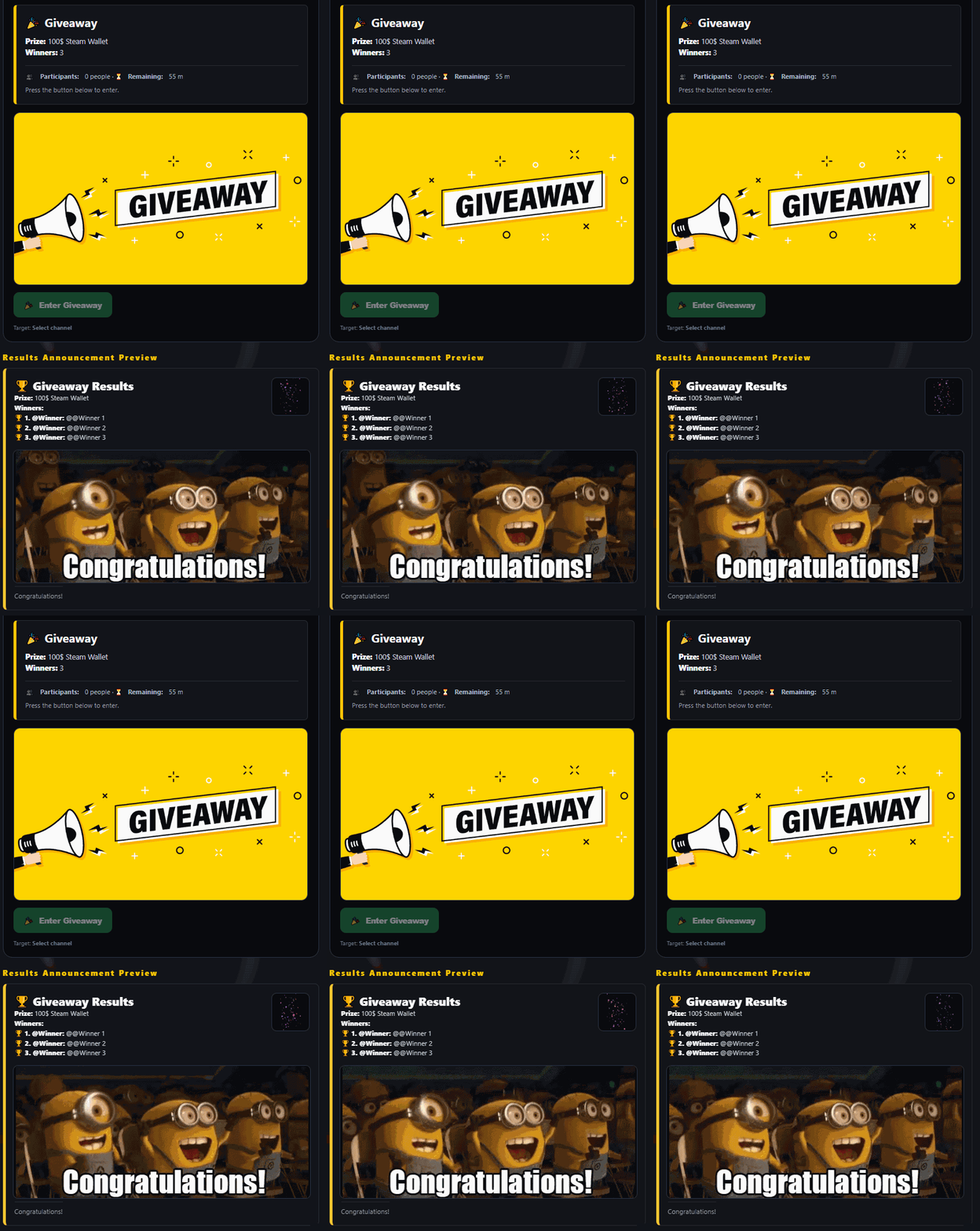
Giveaway ManagementRun smarter giveaways with full control.
End giveaways at the exact time you choose, watch live participation, rerun saved giveaways with one click, and fully control the content. Winner records help you see who has won in the past, while GIF and image support makes each giveaway clearer and more professional.

- Scheduled ending
- Live participant count
- One-click rerun
- Full content control
- Winner records
- Past wins tracking
- GIF & image support
- Prize visual preview
Track winners, rerun saved giveaways, and present prizes with richer visuals for a more polished giveaway experience.
Moderation EnginePowerful protection. Complete control.
Automate rule enforcement across your server. Filter unwanted content, control spam and raids, and configure how each violation is handled.

Protection modules
14 configurable moderation tools-
Banned Words
Detect prohibited words and phrases with exact or partial matching.
-
Blocked Domains
Block links pointing to selected domains.
-
All Links
Restrict web links in chosen channels.
-
Server Invites
Detect and block unwanted Discord invite links.
-
Raid Protection
Respond to suspicious joins, new accounts and bot additions.
-
Spam Protection
Detect too many messages sent in a short time.
-
Repeated Text
Catch repeated messages and message flooding.
-
Excessive Mentions
Limit mass mentions of members and roles.
-
Excessive Capitals
Detect messages with excessive capital letters.
-
Excessive Emoji
Limit emoji flooding in individual messages.
-
Excessive Spoilers
Restrict an excessive number of spoiler blocks.
-
Zalgo & ASCII
Detect disruptive Zalgo text and oversized ASCII art.
-
Penalty Limit
Act when a member reaches the chosen penalty score.
-
Penalty Score Query
Allow permitted penalty-score lookups.
Advanced Penalty SystemWarn first. Escalate intelligently.
Configure an optional first-violation warning, award points for rule violations and define escalating sanctions. When a member reaches the server’s 10–100 point threshold, your selected action can be triggered.

- First warning
Send a notice before normal violation stages begin.
- Penalty points
Set how many points each rule violation adds.
- Violation stages
Apply customized sanctions as violations repeat.
- 10–100 point limit
Choose the score that triggers limit enforcement.
- Automatic sanctions
Choose timeout, kick or ban at the limit.
- Violation records
Review recent violations and query stored scores.
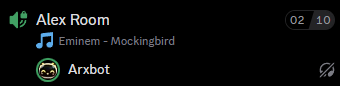
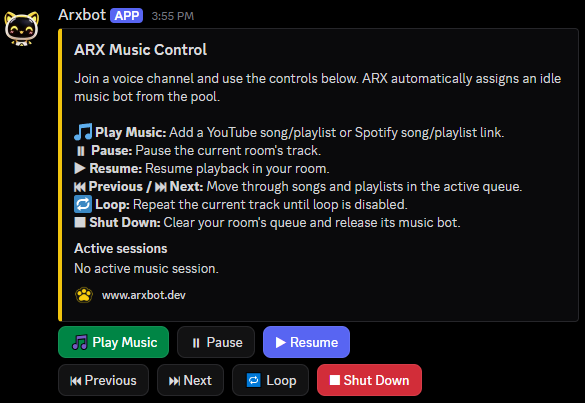
ARX Music SystemHigh-fidelity listening, clear controls, reliable playback.
Enjoy music together without sacrificing control. ARX combines a Lavalink-based audio architecture with flexible Discord voice-channel settings for a consistent listening experience.
Why ARX?
Efficient playback for lower-bandwidth channels.
A balanced profile for everyday listening.
More audio detail where the voice channel allows it.
Highest offered bitrate profile, subject to Discord channel limits.

A dedicated audio engine handles resolution and streaming separately from regular bot interactions.
Metadata and playback handling are designed with source and platform requirements in mind.
Spotify links and searches can supply title, artist and duration to help locate a playable matching source.
Advanced Ticket SystemSupport that feels organized from the first click.
Leave complicated, limited ticket bots behind. ARX brings flexible, professional support workflows to your Discord server, whether you manage a gaming community, a project, or an online business.
Build your support experience from the web control panel and guide every request to the right team.
Built for modern support
Live preview & sync
See panel changes as you edit and check how the support flow will appear.
Nested categories & submenus
Organize Technical Support, Payments and Staff Contact into clear sub-options.
Custom buttons & menus
Set titles, descriptions, emojis and the presentation of each choice.
Configurable ticket forms
Collect the required details before a ticket is opened.
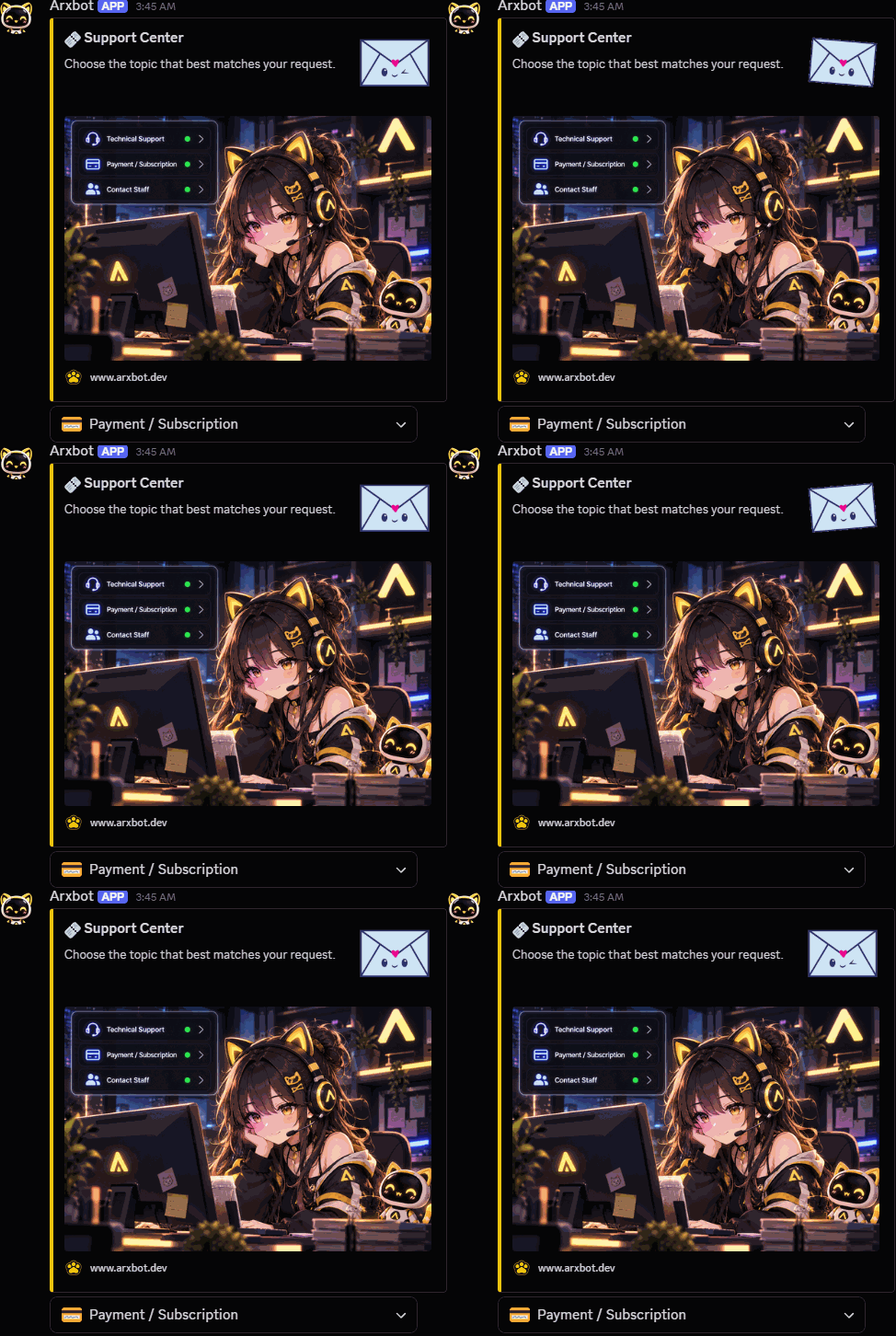
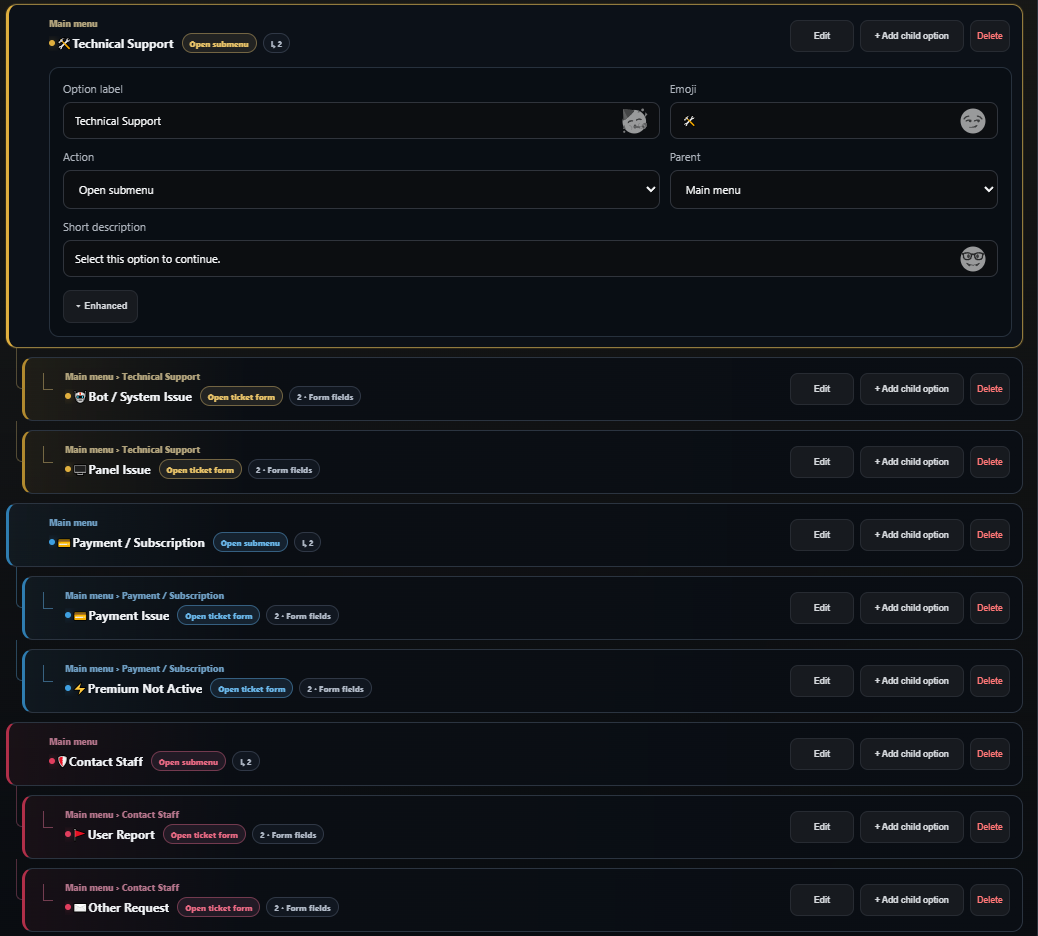
Edit departments, submenus and request forms from a single interface.
Guide each request to the right place
Why ARX?
- Manage
- Visual web panel, not command-heavy setup
- Structure
- Flexible nested choices for each department
- Present
- Rich visuals, icons and customized forms
- Route
- Help users reach the appropriate team
Free Games AutomationTurn limited-time game offers into instant community news.
Stop checking game stores by hand. ARX discovers eligible free-game promotions and free-play events, then automatically posts them to the Discord channel you choose.
Keep gaming communities and friends informed with clear, attractive announcements — without daily manual work.
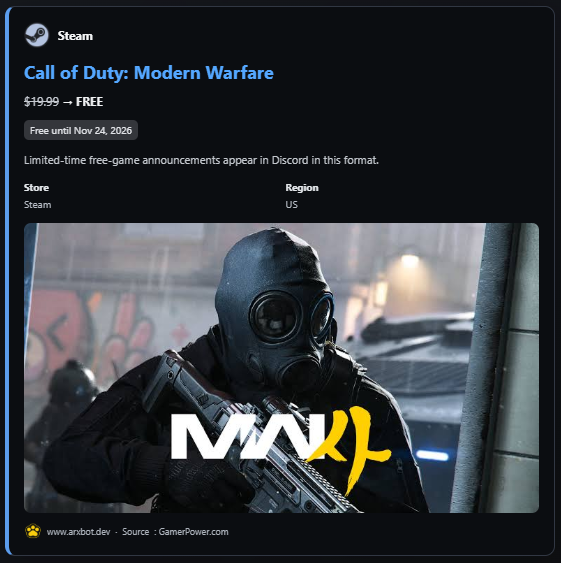
Built for effortless discovery
Multiple storefronts
Epic Games, Steam, GOG and Ubisoft Connect in one control panel.
Giveaways and free weekends
Distinguish keep-forever offers from temporary free-play events.
Rich game announcements
Cover art, original/free price, end date and regional store details where available.
Background monitoring
ARX checks for new offers automatically, so you do not need to browse stores every day.

Control exactly how announcements arrive
Choose the audience, delivery channel and look of every alert in the web panel.
Notification channel
Select the Discord channel that receives new game offers.
Optional mention
Send silently or mention @everyone, @here or a chosen role.
Store region
Tailor offers and available store information to your community’s region.
Custom footer
Choose your footer text and icon, including server branding or your website.
Stream NotificationsYour streams and videos, announced automatically on Discord.
Bring your community together when you go live. ARX monitors supported Twitch, YouTube and Kick channels and posts personalized announcements to your chosen Discord channel.
Add a channel URL or username; ARX resolves the channel identity for you. You can announce new YouTube uploads as well as live streams.

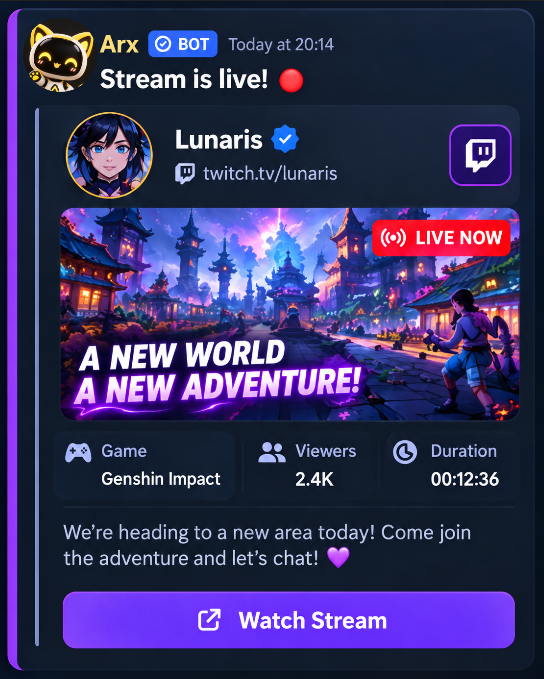
Example notification — customize its appearance in the web panel.
Everything you need to announce your content
Twitch · YouTube · Kick
Monitor live broadcasts across three platforms, plus new YouTube video uploads.
Live preview
See your message, buttons, mentions, colors and layout before posting.
Complete appearance control
Customize alert text, watch button, thumbnail, banner, icons, embed color and optional stream-end message.
Streamer management
Pause monitoring, view active/offline status or send a test announcement.
Notification capacity by plan
Account limits are independent for each platform.
Basic announcements and automatic channel identification.
More creators and full customization.
Higher capacity for busy communities and creator teams.
Bring your community to the action with ARX.
Dynamic Welcome CardsTurn every first impression into art.
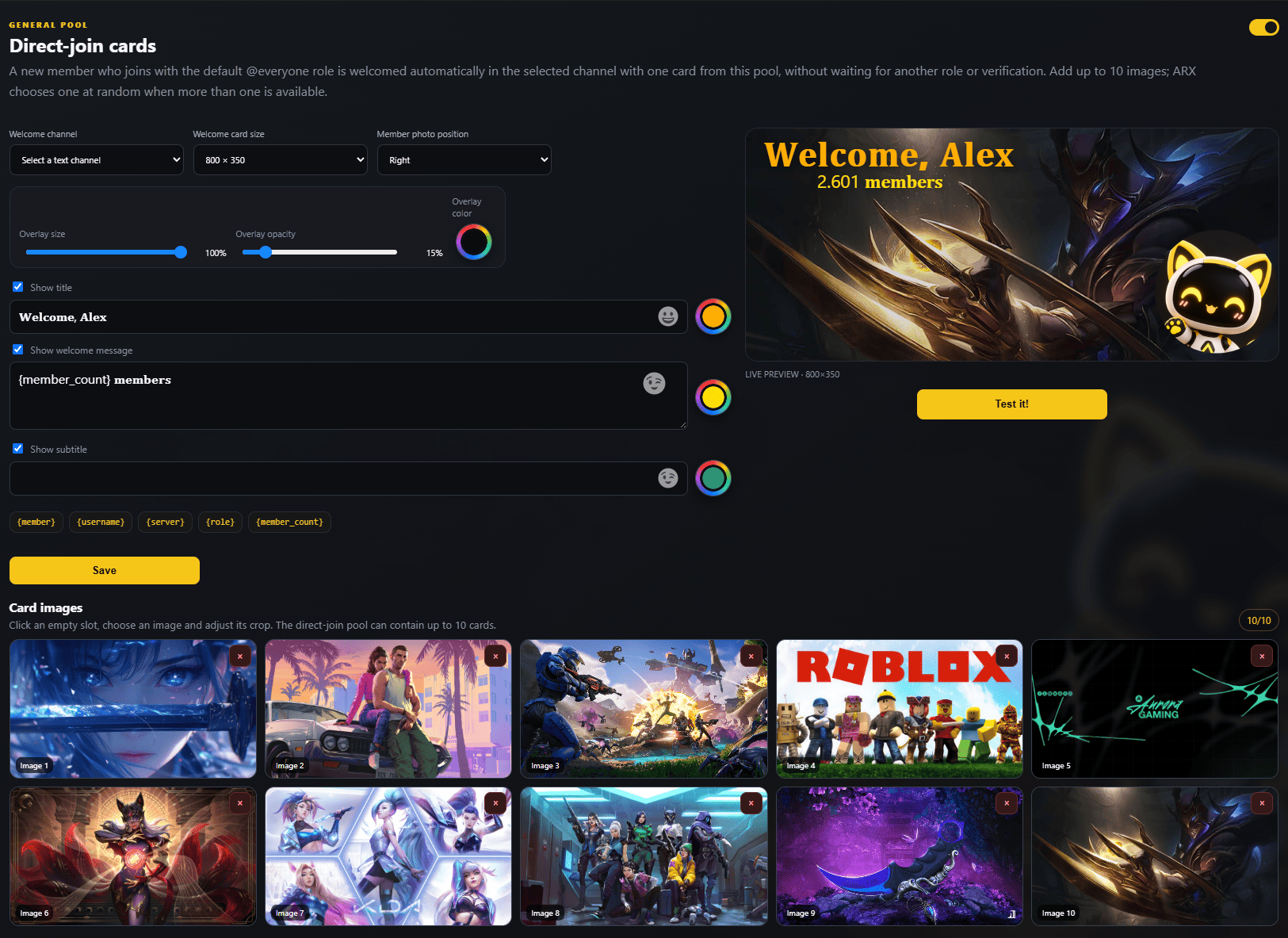
Welcome each new member with a design that feels like your community. ARX combines a free-form editor, flexible role triggers and a pool of up to 10 welcome cards.
Move the avatar and text, choose your colors and preview the result before you publish.
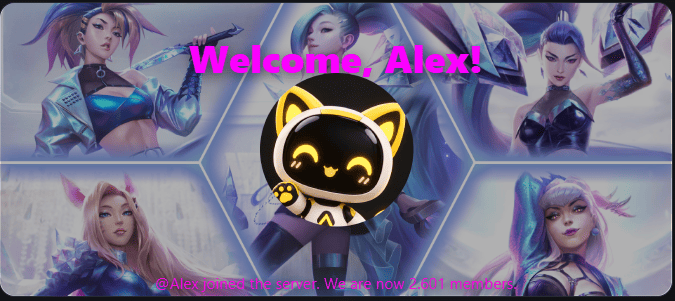
10 designs. Endless first impressions.
Explore the 10 example cards from the design pool. Select one to enlarge the preview above.
Made for your community
Free-form drag & drop
Move, resize and position profile images and text directly on the canvas.
Fonts, text & color
Customize headline, message, footer and color palette to match your server.
Up to 10 designs
Upload up to ten card backgrounds; ARX can randomly select one for each welcome.
Join or role-based trigger
Welcome on direct entry, or once a chosen role is granted via a button panel.
Live preview & test
Inspect layout, overlay opacity, colors and positions; test without guesswork.
Your web-based welcome studio
A real view of the editor: adjust content, placement and effects in one interface.
A welcome at the right moment
Send a card when a member joins the server.
Send a card once members receive a chosen role after accepting rules.
A better first impression
Create a card your community will remember.
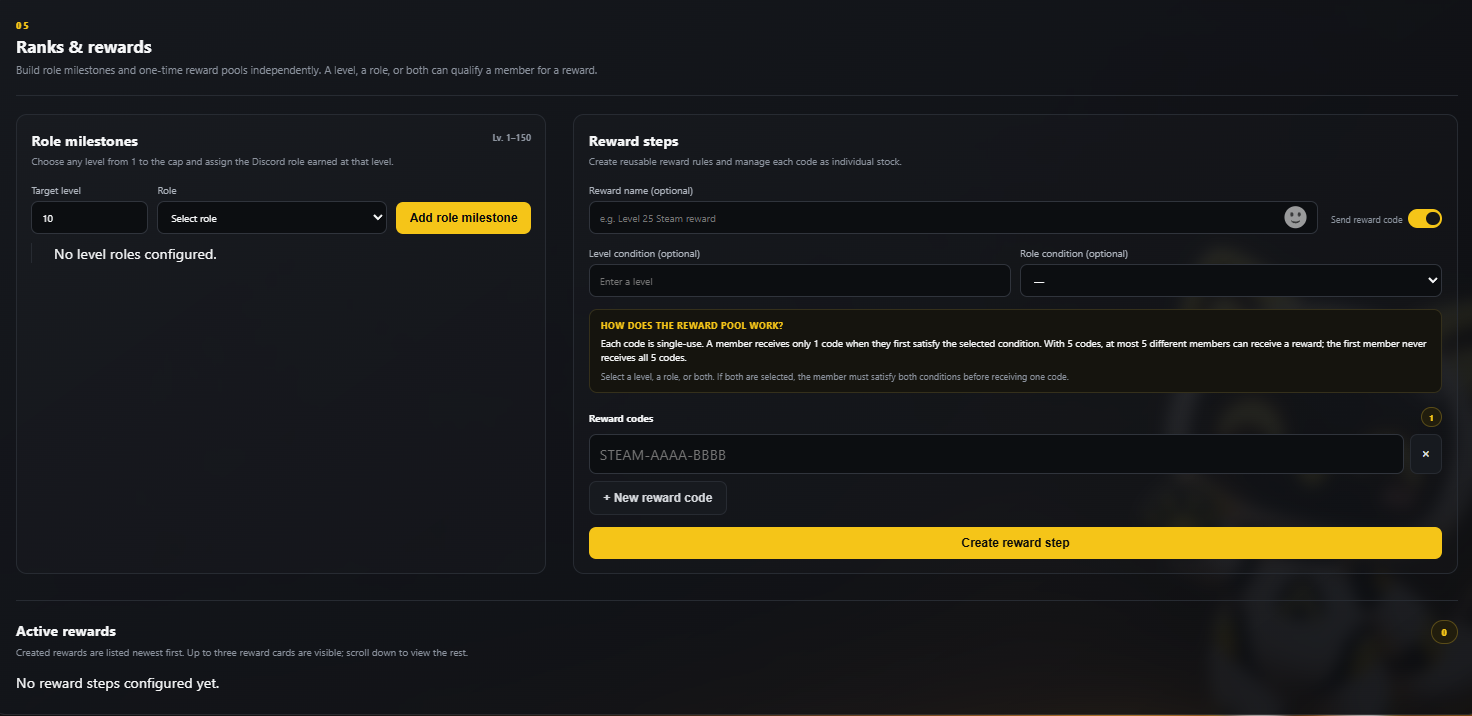
Levels & RanksReward activity. Build a community that stays.
ARX turns meaningful chat, forum and voice activity into fair XP progression. Milestones, single-use code rewards and safe account transfers make every level worth earning.
The level cap can grow without resetting members’ existing XP.

Everything your level system needs
Balanced progression
A fixed progression curve preserves earned XP when you raise the maximum level.
Chat, forum & voice XP
Configure cooldowns and message-length limits; exclude AFK or deafened voice members.
Booster & event multipliers
Reward server boosters and schedule temporary bonus XP for special events.
One-time reward codes
Assign roles or deliver unique reward codes from a tracked, single-use stock.
Member tools & account transfer
Add or remove XP, set a level, or transfer progress to a replacement Discord account.
Ranks & private commands
Customize rank embeds, leaderboards, images and visibility; keep eligible lookups private.
Explore the real ARX control panel
Choose an area to inspect the actual configuration screen. Enlarge screenshots to see every detail.